Verified product-family image collection
What the product actually looks like
Screens are from the original NewSoftwares asset archive; layouts, features and versions can differ. Evaluate the current version before relying on any specific option.
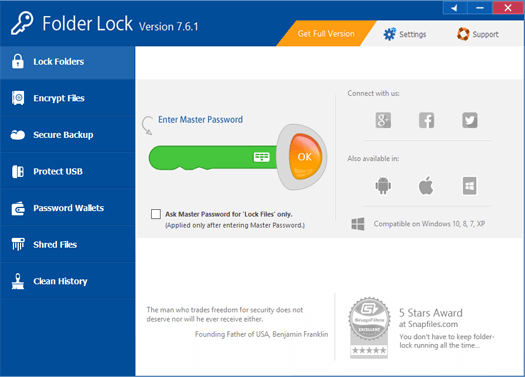
Folder Lock: suitability, setup boundaries and alternatives for windows diagnostic-log confidentiality and safe sharing
Compare local encrypted storage with the wider diagnostic redaction and support workflow.
Where a diagnostic support package fits—and where it does not
A Windows support case can involve a diagnostic event, a native EVTX export, a vendor trace bundle and a screenshot. Even when the incident is a routine crash, those files may contain usernames, machine names, customer paths or tokens. The first security decision is about collecting the necessary evidence and producing a support-safe derivative, not encrypting every unreviewed log together.
Use a test package containing harmless stand-in event records. Separate raw originals from a sanitized support copy. The original may be kept in a properly authorized encrypted archive, while the support copy has secrets actually removed and is passed through an authenticated support channel. A local Folder Lock locker can be assessed for the storage stage; it is not a redaction tool, a telemetry switch or encrypted-mail transport.
For reproducibility, the incident manifest should list Windows build, application version, capture window, hash of the submitted package, time-zone convention and approved reviewer. Avoid embedding a live password, remote-support token or personal identifier into the manifest. Confirm the recipient received the intended sanitized revision, not the raw diagnostic original.
Compare encrypted local storage with BitLocker-managed endpoints, incident-response repositories and approved vendor portals. The right choice depends on whether the task is at-rest protection, controlled distribution, temporary custody or long-term audit retention. Do not imply that Folder Lock will suppress diagnostic data sent by Windows or prevent every plaintext temporary export.
Support-desk validation checklist
Verify the workflow with invented data, document which boundaries remain outside the product and preserve an independently restorable copy before handling irreplaceable information.
Fit and responsibility matrix
Use this comparison to choose a storage control without treating it as a complete security, compliance or recovery service.
| Need | How to evaluate it |
|---|---|
| Encrypt stored copies of Windows support artifacts | Possible fit; verify the current supported edition and reproduce the workflow with non-sensitive test files. |
| Automatically redact event log data | Not a product guarantee. Check the relevant provider, OS or organizational control separately. |
| Stop Windows diagnostic telemetry or encrypt email | Not a product guarantee. Maintain independent backups and a realistic incident response plan. |
Safe evaluation before use
- Check the manufacturer's current feature documentation, release notes and compatible operating systems.
- Create a harmless test dataset, confirm locking or encryption, then close and reopen from an authorized account.
- Confirm what happens to working copies, exports and any cloud-synced files.
- Test a backup and permitted restore before migrating important material.
- Review licenses, edition restrictions and exact pricing on the vendor site; do not assume free and paid capabilities are equivalent.
Current vendor documentation
See Folder Lock 10 feature instructions and product scope. For Folder Lock, check the current Windows version history before relying on a tutorial written for an earlier release. This evaluation is informational and is not a hands-on certification of a particular build.
Where Folder Lock fits in Windows support
Folder Lock can provide an encrypted local locker for selected sensitive records, and its current documentation covers additional portable and cloud-linked workflows. For Windows diagnostic evidence, judge suitability by platform, authorized staff access, backup requirements and the handling of unprotected working copies.
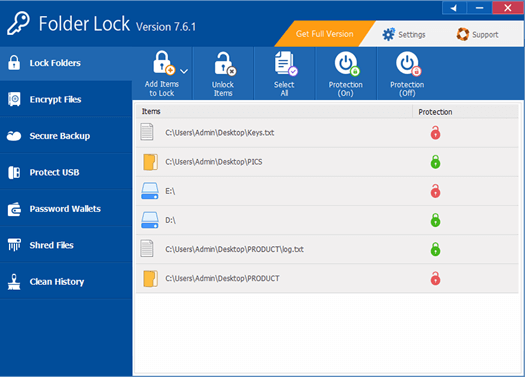
What the product can reasonably address
Folder Lock may protect diagnostic bundles stored locally; it neither sanitizes logs automatically nor changes Windows telemetry upload settings. NewSoftwares describes encryption for selected files, Portable Lockers and other features, but a workflow should only use modules supported in its actual licensed installation.
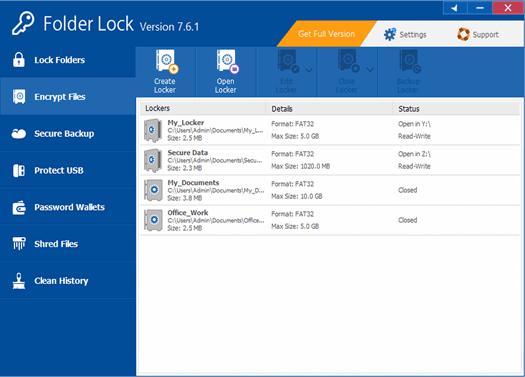
What remains outside the product
Maintain an untouched original and a separately prepared, minimized support copy. Removing secrets from the support copy must not destroy the diagnostic facts needed to reproduce the bug. The product does not define the Windows diagnostic evidence organization’s legal obligations, staff permissions or de-identification procedures. Those operational decisions need independent owners and review.
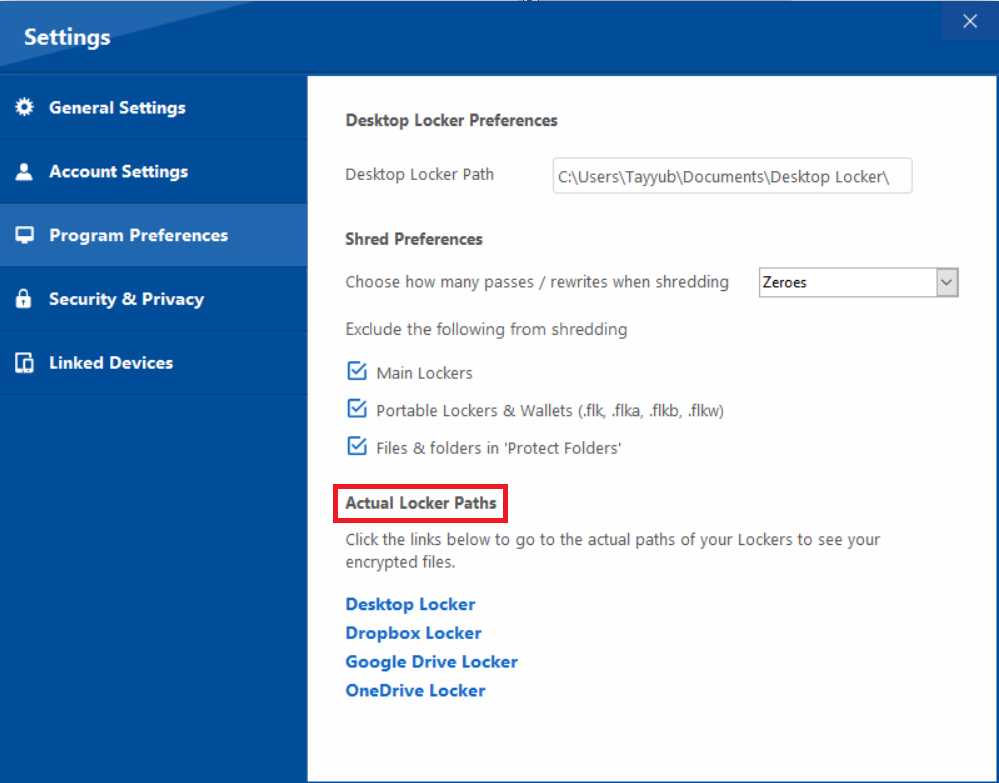
How to evaluate before purchase
Run a harmless trial: create a sample collection, open and close it, confirm platform support and test a recoverable backup. Compare with native operating-system controls and approved managed storage. Do not claim a particular result without the test evidence. For Windows support artifacts, this means checking minidump files, handling trace tokens separately, and using a fake Event Viewer export as the review example. Document a tested outcome rather than relying only on an advertising feature list.
Practical fit question: can the assigned support case owner and a designated security reviewer unlock the required Event Viewer exports from a supported device without granting access to the rest of the archive?
Practical implementation checklist
- Identify the accountable approver for Windows diagnostic evidence and write down the exact event being protected.
- Choose a non-sensitive sample drawn from the same format as Event Viewer exports; never use a real identity, key or patient record in a public example.
- Compare the unprotected working copy, restricted recipient copy and intended retained copy. Confirm where extra versions are created.
- Record the approved destination, any failed test, and a date for reassessing the workflow when personnel or software changes.
Questions readers should resolve
Does Folder Lock guarantee compliance or anonymity?
No. It is one possible local protection tool; organizational obligations and recipient controls remain separate. For Windows support artifacts, this means checking minidump files, handling trace tokens separately, and using a fake Event Viewer export as the review example. Document a tested outcome rather than relying only on an advertising feature list.
Who should approve this Windows diagnostic evidence workflow?
Assign a named owner. In this context, start with the assigned support case owner and a designated security reviewer and confirm the applicable organizational authority.
Research and documentation
These sources support the technical boundaries described here. They are not substitutes for testing the current software on the target device, checking legal requirements, or independently confirming product claims.
- Microsoft: Diagnostic Data Viewer
- NewSoftwares Folder Lock: documented features
- Folder Lock FAQ and lost-password limitations
Product relationship: This page describes Folder Lock, a NewSoftwares product, in a commercially relevant context. Confirm licensing, supported platforms and current behavior from official documentation. It does not make an email secure end-to-end, sanitize every unprotected temporary file, or recover a lost encryption password. No hands-on endorsement or independent certification is claimed.